How to Install Bake Element in Oven
Learn how to install a bake element in your oven with a safe, step-by-step method. This guide covers tools, prep, wiring basics, and kitchen-tested tips for home bakers.


Learn how to install a bake element in your oven with a safe, step-by-step approach. This quick guide highlights the tools you’ll need, safety checks, and essential precautions. You will disconnect power, access the back panel, remove the old element, install the new element, secure it correctly, and test for proper operation before baking.
Why Replacing or Installing a Bake Element Matters
Baking relies on consistent heat, and the bake element is a key heat source for the bottom and upper regions during most recipes. A failing bake element can cause uneven browning, longer preheating times, or complete failure to reach the target temperature. According to Bake In Oven, many home bakers encounter bake-element symptoms after several years of use, especially with older models or frequent use. Recognizing the signs early can save you from ruined bakes and unexpected downtime.
When you decide to replace or install a bake element, you’re not just fixing a part; you’re maintaining oven performance and confidence in your kitchen. A correctly installed bake element helps you achieve even cakes, crisp cookies, and perfectly browned pies. This guide will walk you through a safe, methodical process that emphasizes preparation, proper tools, and thoughtful testing. It’s designed for home bakers who want kitchen-tested instructions rather than guesswork.
Before you begin, understand that the bake element is a high-heat electrical component. Working with it requires standard electrical safety practices and attention to your oven’s model-specific wiring. The Bake In Oven team emphasizes that following the manufacturer’s wiring diagram and using the correct replacement part are essential for both safety and performance. With careful steps, you can complete the installation with minimal downtime and stay confident in your oven’s reliability.
Tools and Safety Foundations
To replace a bake element safely, you’ll need the right tools and a calm, patient approach. This section lays out the essentials and why each item matters. According to Bake In Oven, using the proper tools prevents damage to mounting brackets and ensures proper electrical connections, which in turn supports even heating and consistent baking results.
- Screwdrivers (Phillips and flat-head) for mounting screws. The exact size depends on your model, so have a small set handy.
- Nut driver or socket set for bracket screws and connectors.
- Replacement bake element compatible with your oven model. Always check the model number and manufacturer wiring diagram before purchase.
- Wire connectors or wire nuts for secure, insulated terminations.
- Voltage tester or multimeter to confirm power is off and, if possible, test the element after installation.
- Electrical tape for extra insulation and bundling wiring neatly.
- Gloves and safety glasses to protect hands and eyes during removal and installation.
- The oven’s manual or wiring diagram as a reference for color codes and connector placement.
Bake In Oven analysis shows that following a structured process with the right tools reduces the risk of shorts and improves long-term reliability. A calm, organized workspace helps you keep small screws and connectors from getting lost and speeds up the process.
Preparing the Workspace and Power-Down Steps
Safety starts before you touch any wires. A failed or careless approach can lead to electric shock or burns. Begin by unplugging the oven from the wall outlet or shut off the circuit breaker that powers the unit. If you can, test that the oven is completely without power using a multimeter to confirm there is no voltage at the control panel.
Next, clear the area around the oven. Remove nearby items from the counter, and lay a clean, dry cloth or mat under the oven if you need to tilt it for panel access. Have a small container or tray ready to hold screws and fasteners so they don’t roll away. If your model has a bottom access panel, you may need to remove a toe-kick or lower cover to reach the bake element mounting area. Always handle screws with a magnetized screwdriver to prevent dropping them into the interior cavity.
To keep things organized, take photos of each connector arrangement before you disconnect anything. This “as-built” reference will be invaluable when you reassemble. Bake In Oven recommends labeling each wire and connector if you’re uncertain about the color codes. If you feel unsure at any point, pause, review the manual, and consider seeking professional help rather than forcing connections.
Accessing the Bake Element: Back Panel and Mounting Bracket
With power confirmed off, you’ll typically access the bake element from the back of the oven or from an under-panel area, depending on the model. Remove screws securing the back panel or the lower access plate; keep these fasteners in a labeled tray. Once the panel is removed, locate the bake element—it's a U-shaped metal tube or a flat element that runs along the interior bottom or top of the oven cavity. The element is connected to electrical terminals via wire harnesses or terminal blocks.
Inspect the element and surrounding wires for signs of damage: melted insulation, scorching, or frayed conductors. If you see any damage beyond the element itself, you should pause and address those issues before installing the new part. For many models, the element is held in place by two screws or a bracket; remove these carefully. As you work, keep track of screws and brackets; losing them behind the panel is common and can complicate reassembly. The new bake element should match the exact model and voltage specification printed on the old part or in the manual.
Installing the New Bake Element: Wiring and Mounting
Now comes the core installation. Start by aligning the new bake element in its mounting position and securing it with the appropriate screws or bracket. Before connecting any wires, inspect the terminal ends for oxidation or damage; if they look worn, trim the leads or replace the terminals as needed. Reconnect the wiring using the original configuration: ensure each connector clicks firmly, and use insulated wire nuts to protect exposed conductors.
Avoid tight bends in the wires and ensure the harness is routed away from interior heat sources or moving parts. If your model uses color-coded leads, refer to the wiring diagram to confirm which terminal corresponds to live power and which is neutral. After securing the connections, tuck the wires neatly within the cavity to prevent contact with the fan or light assemblies.
Double-check all fasteners and confirm there are no loose components. Recheck the clearance between the element and the oven walls; improper clearance can cause overheating or short circuits. If you’re unsure about any wiring steps, consult the manual or a technician. Bake In Oven notes that careful preparation here pays off in even heating and a longer element life.
Reassembly, Testing, and Verification
With the element installed, reattach the back panel or lower access plate. Replace trim pieces and confirm all screws are snug but not overtightened. Restore power at the breaker or outlet and run a quick functional test before attempting a full bake:
- Set the oven to bake at a moderate temperature (e.g., 350°F / 175°C) and let it preheat for 10–15 minutes.
- If your oven has a convection setting, you may want to run it briefly to confirm the element engages as expected. Watch for any unusual smells or smoke.
- If the oven reaches the set temperature and the element glows consistently, you’ve likely completed the installation correctly.
If the element does not heat or you notice a tripping breaker, unplug the unit and recheck your connections. It may be necessary to test continuity of the element with a multimeter or to consult a qualified technician. The goal is reliable heat delivery and safe operation for your next batch of baked goods.
Maintenance, Troubleshooting, and Common Mistakes
Even with a successful installation, regular maintenance helps prevent future failures. Keep the area around the bake element clean and free from spilled batter and food debris that could cause unwanted heat buildup. Periodically inspect the wiring for signs of wear, especially if you notice any heat discoloration or a burning smell.
Common mistakes include miswiring the element, overtightening screws, or failing to restore adequate panel ventilation. Always refer to the model-specific wiring diagram to verify polarity and terminal assignments. If you encounter a persistent problem—such as uneven heating after replacement or rapid temperature drift—consider checking other heater elements as well as temperature sensor calibration. Bake In Oven recommends scheduling a post-install bake to verify consistency after a few uses.
Verdict and Next Steps
Installing a bake element can be a cost-effective way to restore oven performance and maintain consistent baking results. With the right tools, careful wiring, and adherence to the manufacturer’s diagram, most home bakers can complete the replacement successfully. The Bake In Oven team emphasizes patience, double-checking connections, and testing with a short bake to confirm operation. When in doubt, don’t hesitate to consult a professional to ensure safety and reliability.
Tools & Materials
- Screwdrivers (Phillips and flat-head)(Phillips #2 and flat-head for mounting screws)
- Nut driver or socket set(For mounting bracket screws)
- Replacement bake element(Ensure compatibility with your oven model)
- Wire connectors/wire nuts(Color-coded connectors for secure terminations)
- Voltage tester or multimeter(Confirm power is off; test element if possible)
- Electrical tape(Extra insulation and bundling)
- Gloves and safety glasses(Protect hands and eyes during removal and installation)
- Owner's manual or model wiring diagram(Reference for wiring and part compatibility)
Steps
Estimated time: 60-90 minutes
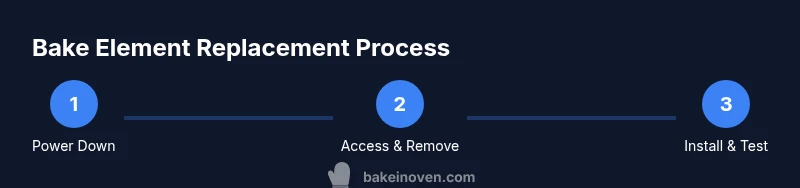
- 1
Power down and verify
Unplug the oven or switch off the circuit breaker. Use a multimeter to confirm there is no voltage at the control panel before touching any wiring. This step prevents electric shock and ensures your safety during disassembly.
Tip: Label the breaker in the panel so you can easily revert if needed. - 2
Access the bake element area
Remove the back panel or lower toe kick as required by your model to access the bake element mounting area. Keep track of screws and brackets using a labeled tray. If you can, photograph connector layouts for reference.
Tip: Work in a well-lit area and use magnetic tools to avoid dropping fasteners. - 3
Disconnect the old element
Carefully disconnect the wiring harness or terminal blocks from the old element. If terminals are stiff, use a small screwdriver to loosen the connectors without twisting wires. Note how each wire terminates at the element.
Tip: Do not pull on wires; loosen connectors first to avoid damaging terminals. - 4
Remove mounting screws and remove element
Unscrew the brackets or screws securing the bake element. Slide the element out gently, avoiding contact with other components inside the oven. Inspect the mounting holes for damage and clear any debris.
Tip: Keep screws in a labeled container; you’ll reuse them with the new element. - 5
Install the new element and connect wiring
Position the new bake element in the mounting area and secure it with the original screws. Reconnect the wires using the same configuration as the old element, ensuring snug, insulated connections. Use wire nuts and electrical tape as needed to protect exposed conductors.
Tip: Double-check that no bare wire is exposed and that there are no sharp bends in the leads. - 6
Reassemble and test
Reattach the back panel or toe kick, restore power, and run a 10–15 minute preheat test at a moderate temperature. Look for even heating and listen for unusual sounds. If something seems off, unplug again and recheck connections.
Tip: Start with a low-temperature test bake to reduce risk while verifying operation. - 7
Final verification
Perform a short bake at a baking-friendly temperature (e.g., 350°F/175°C) to confirm consistent heat distribution. If the bake is even and the element remains stable, you’re done. If not, consult the manual or a technician.
Tip: Keep a log of the test results for future reference and maintenance.
Frequently Asked Questions
Do I need to replace the whole oven if the bake element fails?
No. In most cases you can replace just the bake element if your model supports it and you can access the element safely. Always verify compatibility with your oven’s model number.
Usually you can replace the bake element without replacing the whole oven. Check your model number and wiring diagram to ensure compatibility.
Is it safe for a beginner to replace a bake element?
Yes, with careful preparation and strict safety protocols. If you’re unsure at any point, pause and consult the manual or a professional.
It can be safe for a beginner if you follow safety steps and refer to the manual whenever in doubt.
What tools are essential for this replacement?
A basic screwdriver set, a nut driver, a replacement bake element, wire nuts, and a multimeter are typically essential. Always refer to your model’s wiring diagram.
Common tools include screwdrivers, a nut driver, wire nuts, and a multimeter to confirm power is off.
How long does the replacement typically take?
Most home bakers complete the replacement in about 60 to 90 minutes, depending on model and access to the element.
Around an hour to an hour and a half, depending on your model and access.
How can I tell if the new element is working after installation?
After installation, preheat the oven and observe whether the bake element heats evenly without tripping breakers or emitting odd smells.
Preheat and watch for a steady glow and even heating without odors or trips.
What should I do if I see signs of damage or overheating after replacement?
Power down immediately, inspect the wiring for damage, and consult the manual or a professional. Do not operate the oven with damaged insulation or components.
If you notice damage, shut off power and get professional help.
Watch Video
Key Takeaways
- Verify power off before starting.
- Use model-specific wiring diagrams for accuracy.
- Secure all connections with insulated terminations.
- Test with a short bake to confirm safe operation.