Oven Not Working After Power Outage: Quick Fix Guide
Is your oven dead after a power outage? This urgent, step-by-step troubleshooting guide from Bake In Oven helps you diagnose power issues, reset controls, inspect outlets, and safely restore oven function.


Power outages usually trip the oven’s breaker or reset its control. Check the breaker, verify the outlet feeding the oven, and test that power is returning. If it still won’t power up after a reset, unplug for 60 seconds, plug back in, and power on. If issues persist, contact a professional.
Immediate safety and what to do right after a power outage
A power outage can happen quickly, but the oven is a household appliance with sensitive electronics and heating elements. According to Bake In Oven, the first priority is safety. If you smell burning plastic, hear buzzing, or see smoke around the oven, turn off at the wall and unplug, and contact emergency services if needed. Once power is restored, do a careful visual check: there should be no scorch marks on the plug or cord, the power cord should be intact, and the outlet should feel normal to touch. Do not force the oven door or attempt to operate it if there are signs of damage. The goal is to confirm that the electrical supply is stable before retrying the appliance.
Then step back and plan your diagnostic path. Electrical issues can remain hidden until a breaker trips again. The Bake In Oven team emphasizes a calm, methodical approach rather than hitting random buttons. Use the steps below to identify whether the problem is purely electrical, a control panel reset, or a device fault.
Common causes after a power outage
Ovens can fail to power on after an outage for several reasons. The most common is a tripped circuit breaker or blown fuse, which cuts power to the outlet. A damaged or loose power cord, or a degraded outlet, can also prevent power from reaching the oven. In some cases, a power surge or momentary reset can affect the oven’s electronic control board, causing it to lock out or display an error. Finally, internal safety features like a door switch or thermal fuse can trip if the oven detects unsafe conditions during the outage. Understanding these causes helps you choose the right fix without unnecessary repairs.
Quick at-home checks you can perform
- Visually inspect the power cord and plug for signs of damage. If the cord feels warm, discolored, or stiff, stop and do not use it. - Check the circuit breaker panel for a trip or a blown fuse. If you reset a breaker, label it so you know which circuit controls the oven. - Test the outlet feeding the oven with a small lamp or electronics to confirm it has power. If the outlet is dead, the issue isn’t the oven itself. - Confirm the oven clock resets when power returns; a blank or flashing display can indicate a control board reset is needed. - Do not open the oven’s cabinet or access panels unless you’re comfortable with basic safety rules. If you see burning smells, melted plastic, or exposed wiring, discontinue tests and call a professional immediately.
Resetting the oven control panel safely
For many electric ovens, a simple reset can clear a minor fault caused by the outage. Start by turning off the oven at the wall or unplugging it. Wait 60 seconds, then plug back in and power on. Set the clock if prompted and attempt a basic heat cycle at a low setting to see if the display responds. If the panel remains dark or shows error codes, document codes and consult the user manual or a technician. Always avoid forcing doors or heating elements when the oven is unresponsive.
Testing power at the outlet and inspecting wiring
If you can safely access the outlet, use a plug-in tester or a known-good lamp to verify power. If the tester shows no power, the issue may be the outlet, the receptacle, or the circuit breaker. Do not attempt to repair electrical wiring yourself; turn off the circuit and call a qualified electrician if a power issue persists. If the outlet works but the oven still won’t respond, the problem likely lies within the oven’s internal electronics or safety interlocks.
Interpreting fault codes and what to do
Some ovens display fault codes after a reset. Refer to the user manual or manufacturer site to decode symbols or numbers. Codes often point to a door switch failure, misreading temperature sensor, or a thermal fuse issue. Record any codes before contacting support, as this will speed up diagnosis. If codes indicate a critical fault, do not continue testing and schedule service promptly.
When to call professional help and what to expect
If the oven remains unpowered after checking breakers, outlets, and reset attempts, professional service is warranted. A qualified technician will inspect wiring, the control board, and safety interlocks. Expect to provide the model number, observed symptoms, and any fault codes. Ask about warranty coverage and possible service plans. Timely professional support can prevent further damage and ensure safe operation.
Prevention tips to minimize future outages and issues
- Use a whole-house surge protector if available, and avoid running multiple high-draw appliances on the same circuit during outages. - Consider having the oven on a dedicated circuit to reduce shared-load risks. - After any outage, perform a quick power-on test before relying on the oven for cooking. - Keep the user manual, model-specific reset steps, and a notebook of fault codes handy for quick reference.
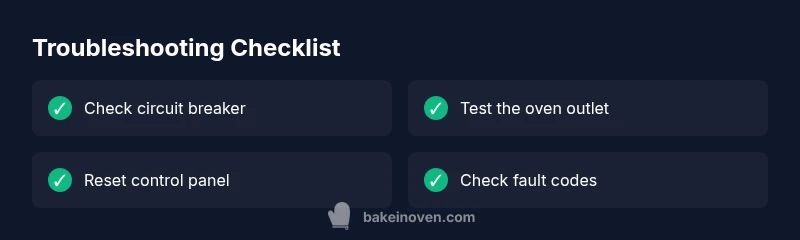
Quick troubleshooting checklist you can print
- Confirm power at the outlet feeding the oven
- Check for a tripped breaker or blown fuse
- Reset the oven control by unplugging for 60 seconds
- Reset the clock and basic settings
- Observe if lights or display respond after reset
- If issues persist, call a professional
Steps
Estimated time: 30-45 minutes
- 1
Power down safely and gather tools
Turn off the oven at the wall or unplug it. Gather a flashlight and a basic tester if available. This keeps you safe while you verify power.
Tip: Always unplug before inspecting wiring. - 2
Check the circuit breaker panel
Open the panel and look for a tripped breaker or blown fuse. If one is found, switch it fully off, then on again.
Tip: If the breaker trips again, stop and call a professional. - 3
Test the outlet feeding the oven
Plug in a lamp or tester to confirm the outlet has power. If the outlet is dead, the issue may be the circuit or wiring.
Tip: Do not attempt rewiring or repairs to the outlet yourself. - 4
Reset the oven control panel
With power restored, unplug for 60 seconds and plug back in. If your model has a display, reset the clock and any preset timers.
Tip: Refer to the user manual for model-specific reset steps. - 5
Check for error codes on display
If codes appear, note them and look up meanings in the manual or manufacturer site.
Tip: Document codes before calling support. - 6
Perform a basic power-on test
Try powering the oven again and observe whether lights or the display respond and whether the oven begins to heat.
Tip: If nothing responds, avoid forcing components. - 7
Decide on professional help
If the display remains dark or heating does not occur, arrange for a technician to diagnose control boards or wiring.
Tip: Check warranty status and service options. - 8
Document results and plan follow-up
Keep notes on tests performed and outcomes for future reference or claim submission.
Tip: Maintain a copy of fault codes and repair receipts.
Diagnosis: Oven won't power on after power outage
Possible Causes
- highTripped circuit breaker or blown fuse
- mediumFaulty outlet or damaged power cord
- lowOven control board reset or fault
Fixes
- easyReset the circuit breaker; replace fuse if necessary
- easyTest the outlet with a known good appliance; inspect power cord for damage
- mediumUnplug oven, wait 60 seconds, replug and power on; check clock/display; if no response, contact a professional
Frequently Asked Questions
Is it safe to use the oven after a power outage?
In most cases, it is safe to retry once power is restored and the outlet is verified functional. If there are any signs of damage, unusual smells, or if the oven won’t power up after a reset, stop and consult a professional.
Yes, but only after you confirm power is stable and there are no signs of damage. When in doubt, contact a technician.
Why won't my oven turn on after a power outage?
Common causes include a tripped breaker, a dead outlet, or a reset on the oven’s control board. Work through the basic checks: breaker, outlet power, and a safe reset of the control panel.
Most often it's a breaker or outlet issue, or a simple control reset; if unresolved, professional help is advised.
Could a tripped breaker cause the oven to stop working?
Yes. A tripped breaker cuts power to the oven. Resetting the breaker often restores power, but if it trips again, there may be an underlying circuit or wiring problem.
A tripped breaker is a common culprit; reset and monitor for repeats and call a pro if it trips again.
Should I reset the oven's control panel after an outage?
Resetting the control panel can clear minor faults caused by the outage. Unplug for 60 seconds, plug back in, and recheck the display and basic functions.
Yes, a simple reset often resolves glitches. If the display stays dark, seek professional help.
When should I call a professional for an oven outage?
If power remains absent, if you notice damage, or if fault codes persist after basic checks, schedule service with a certified technician.
Call a professional if the oven won't power on after basic checks or shows consistent fault codes.
Watch Video
Key Takeaways
- Check breaker and outlet first before tech calls
- Reset the oven control panel if safe to do so
- Document fault codes to speed up diagnosis
- Call a professional if power remains absent or fault codes persist
- Prevent future outages with proper surge protection